From Incident to OSHA-Compliant Report in 5 Minutes
When an incident occurs, your liability clock starts immediately. HazardHawk captures witness statements, scene photos, and critical details while memories are fresh. OSHA 300 Log export ready before the investigator arrives.
The Problem
The First 60 Minutes Determine Your Liability
Worker falls from scaffolding.
Injury appears minor.
Foreman tells him to "walk it off."
No one documents the scene.
No witness statements.
No photos.
No incident report filed.
Three days later, worker goes to hospital.
Back injury. Surgery required.
Now it's an OSHA-recordable incident.
OSHA investigator asks: "What were the site conditions at the time of the fall?"
You don't know.
Scaffolding already moved.
Witnesses can't remember specifics.
Foreman says "everything was fine."
Worker's attorney says: "Scaffolding was missing guardrails."
You have no evidence to counter that claim.
OSHA investigator finds you should have documented immediately.
Failure to report within required timeframe.
Citation issued.
Your insurance carrier sees: Failure to document. Failure to investigate. Failure to preserve evidence.
Claim settlement: 3x what it should have been.
All because you didn't capture details in the first 60 minutes.
How It Works
From incident occurrence to OSHA-ready report in minutes
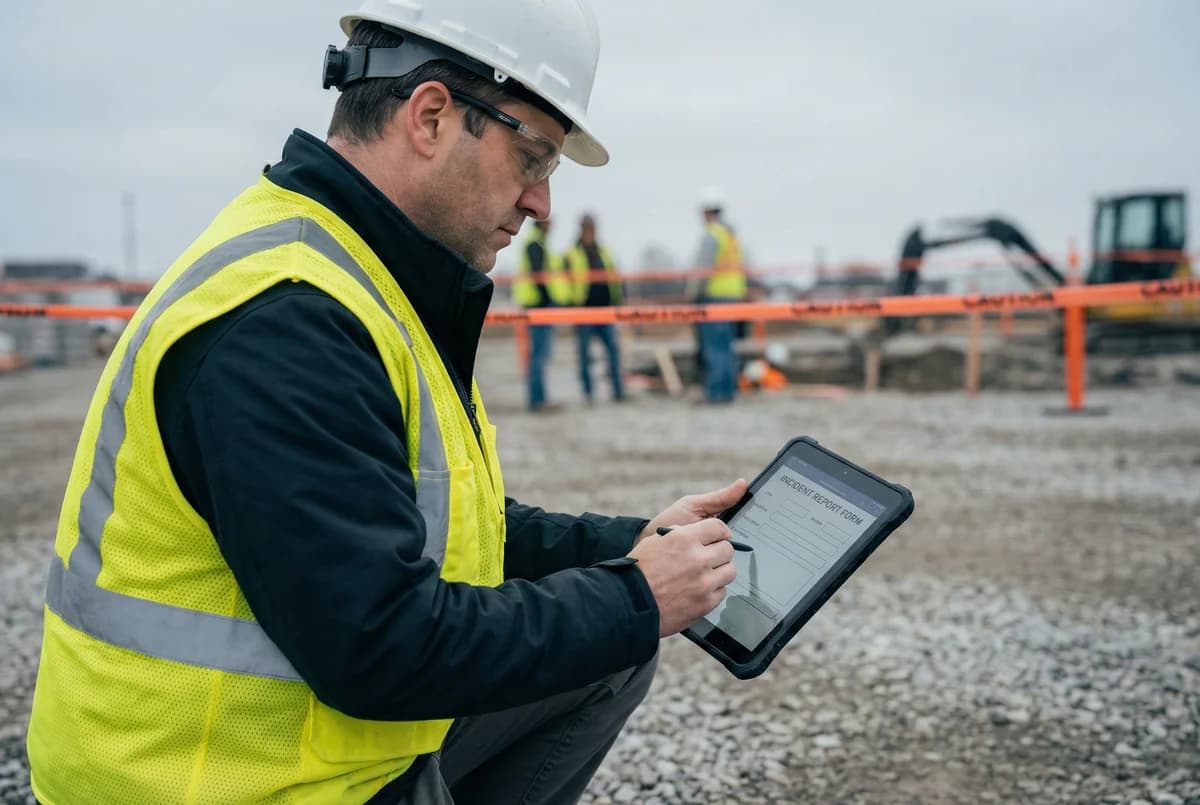
Immediate Digital Report Filed On-Site
Within minutes of incident occurring.
Foreman/witness opens HazardHawk on phone.
AI guides through critical details:
- What happened? (narrative)
- Who was injured? (worker info)
- Where did it occur? (GPS captures automatically)
- What equipment involved?
- What were site conditions?
- Who witnessed it?
System prompts for details humans forget under stress.
Mandatory fields prevent incomplete reports.
Can't submit until all critical sections completed.
Scene Documentation + Witness Statements
Photos captured immediately:
- Equipment positioning
- Environmental conditions
- Visible hazards
- Work area layout
Witness statements captured digitally:
- Name, signature, timestamp
- What they saw
- Where they were standing
- Contact information
All with GPS coordinates and timestamps.
Preserves evidence while scene is intact.
Captures memories while fresh.
Documentation that holds up in court.
Instant Notification + OSHA Export
The moment report is filed:
- Your safety team receives alert
- Superintendent notified
- Project manager briefed
- Insurance carrier can be auto-notified
OSHA 300 Log export:
- Pre-filled with incident details
- Proper classification (recordable vs. non-recordable)
- DART rate calculations automatic
- Lost workday tracking
When OSHA investigator arrives, you hand them:
- Complete incident report
- Scene photos with timestamps
- Witness statements
- OSHA 300/301 forms completed
You look proactive, not defensive.
Key Features
1. AI-Guided Incident Capture
System prompts reporter through structured workflow. Asks follow-up questions based on incident type. Ensures no critical details omitted. Reduces cognitive load during stressful moments.
2. Mandatory Field Enforcement
Can't submit incomplete reports. System blocks submission until all required fields completed. No more "TBD" or blank sections. Forces documentation of: Date/time, Location, Injured party, Witnesses, Sequence of events, Contributing factors.
3. Scene Photo Requirements
Minimum 4 photos required: Overall work area, Specific incident location, Equipment/materials involved, Environmental conditions. Photos geo-tagged and timestamped. Creates visual record of scene conditions. Proves what existed (or didn't) at time of incident.
4. Digital Witness Statements
Witnesses type or dictate their account. Voice-to-text transcription available. Digital signature capture. Contact information recorded. Timestamped and GPS verified. Legal chain of custody maintained.
5. OSHA Classification Assistant
AI analyzes incident details. Recommends whether OSHA-recordable. Cites specific 29 CFR 1904 criteria. Your safety team makes final determination. Documentation supports classification decision.
6. Root Cause Analysis Workflow
Structured investigation process: Identify immediate cause, Identify contributing factors, Identify root cause, Assign corrective actions, Track completion. Prevents recurrence. Demonstrates continuous improvement.
7. OSHA 300/301 Auto-Generation
Incident data auto-populates OSHA forms. One-click PDF export. Pre-formatted for OSHA submission. Automatic calculation of: Days away from work, Days of restricted work, Lost workday rate, DART rate. Annual summary generation. Compliant with 29 CFR 1904.
Legal Defense Value
What You Show the Insurance Adjuster
Worker claims injury severity was obvious. Claims you failed to provide immediate medical care.
You produce incident report from 8 minutes after injury:
- Worker declined medical treatment (signed acknowledgment)
- Witness statements: "He said he was fine"
- Photos show minor abrasion, no visible distress
- Foreman offered transport to clinic (documented)
- Worker chose to continue working (timestamped decision)
Attorney claims: "This report was fabricated after my client sought medical care."
You provide:
- Blockchain verification of document creation time
- GPS coordinates from incident location
- Device metadata showing report filed 8 minutes post-incident
- Digital signatures with timestamps from witnesses
- Photo metadata (EXIF data) proving when images captured
Defense established.
Your documentation proves:
- You responded immediately
- You offered appropriate care
- Worker declined
- You documented everything in real-time
Claim value reduced by 60%.
All because you documented in the first 10 minutes.
Integration
Incident reports sync to:
- Your OSHA 300 Log system
- Your insurance carrier portal
- Your risk management platform
- Your workers' comp administrator
Export formats:
- PDF (for email, legal review)
- OSHA 300/301 (compliant formats)
- CSV (for data analysis)
- API (for custom integrations)
Automatic notifications to: Safety directors, Project managers, Insurance carriers, Legal counsel (if required).
Simple Pricing
Incident Reporting included in both tiers
Field Worker
$20/user/month
For crew members who need to sign
- Digital signatures
- Sign incident reports
- Provide witness statements
Safety Pro
$99/user/month
Full access to all features
- Create incident reports
- OSHA 300/301 compliance
- All 7 document types
- PDF generation + digital sigs
- Team management
Frequently Asked Questions
Q: How fast must incident reports be filed?
Within 24 hours of incident (OSHA requirement). Within 8 hours for fatalities or multiple hospitalizations. HazardHawk makes this easy. Reports completed on-site within minutes. Automatic submission to stakeholders.
Q: What if the injured worker can't provide statement?
System allows "statement pending" status. Captures available witness statements. Documents scene conditions. Follow-up statement can be added later when worker is available. Maintains timeline of information gathering.
Q: Can incident reports be edited after submission?
Original report locks after submission. Maintains integrity for legal purposes. Additions/corrections made through addendum feature. All changes tracked with audit log. Shows who made changes, when, and why.
Q: Do you automatically notify insurance carriers?
Configurable per incident severity. You set rules: First aid only → No auto-notification. Recordable incident → Auto-notify carrier. Hospitalization → Immediate notification to carrier + legal. You maintain control over notification workflow.
Q: What if we don't know if incident is OSHA-recordable?
AI provides preliminary assessment. Final determination made by your safety team. System allows "classification pending" status. You have 7 days to make recordability determination (per OSHA rules). Documentation supports your decision either way.