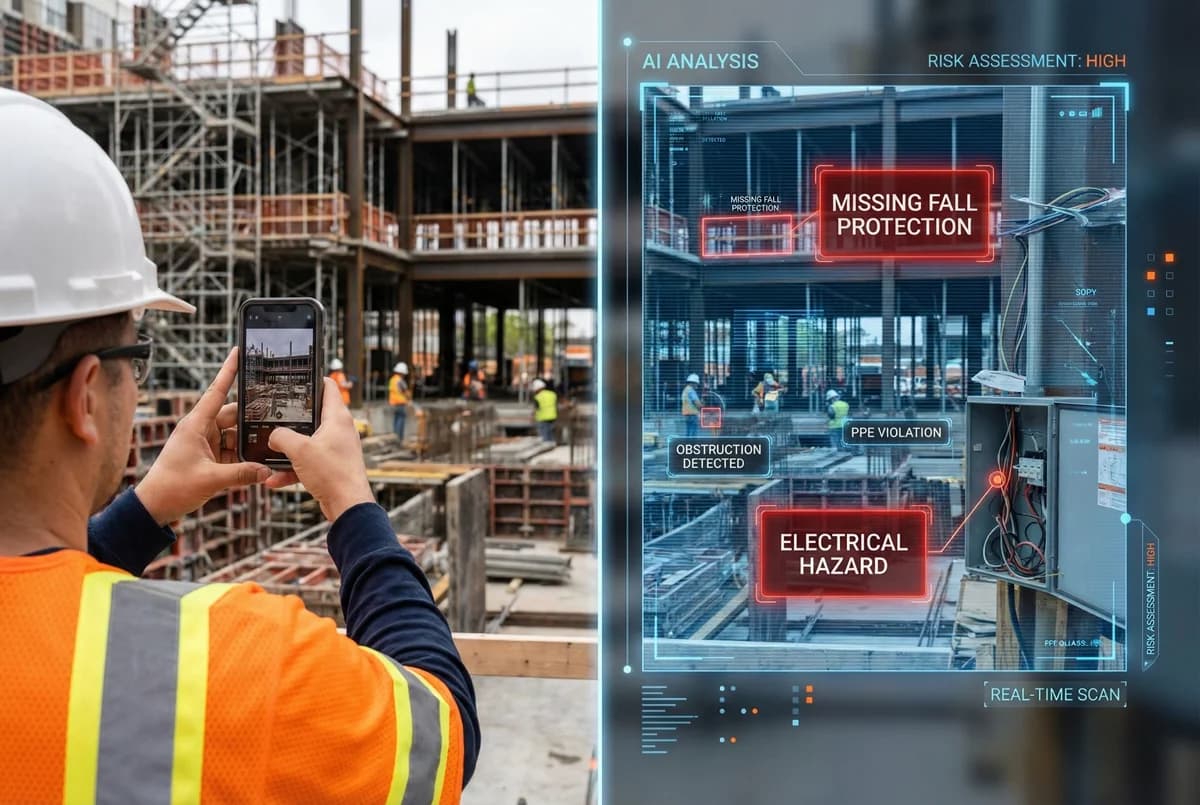
The Problem
You Can't Be Everywhere at Once
12+
Active job sites you manage
150,000
Square feet to cover
2x/week
Site visits (if you're lucky)
What Happens Between Visits:
Your safety manager was on site Monday. Now it's Tuesday...
- •A sub removes fall protection to rig equipment
- •An electrician works on live circuits without lockout
- •An excavation lacks proper shoring
By Friday's site visit, the hazard is gone.
But someone got hurt on Wednesday.
Now you're answering OSHA's questions:
"When did you last inspect this area?"
"How did you not know about this violation?"
You can't be everywhere.
But your field crews are.
Every worker has a smartphone.
Let's use them.
How It Works
Three simple steps from photo to documented compliance
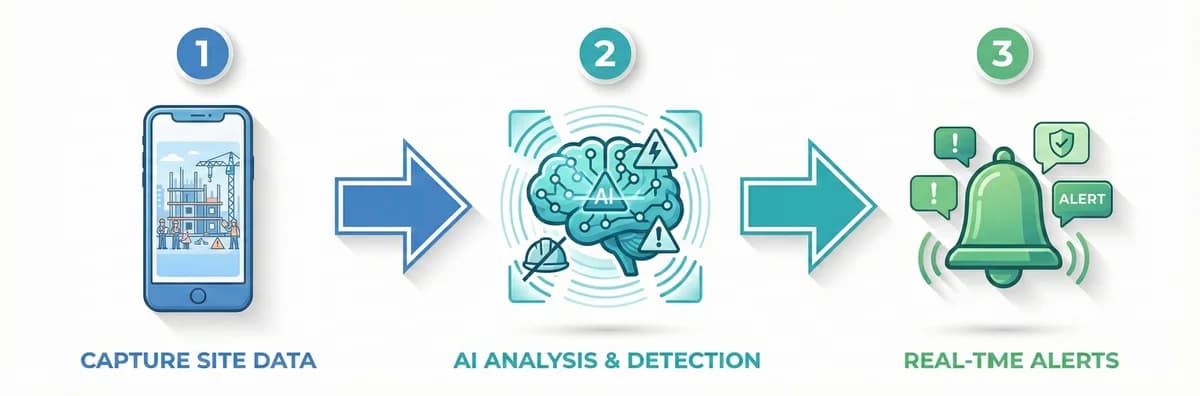
Workers Photograph Daily Activities
Every morning briefing, subs photograph:
- Work area setup
- Equipment positioning
- Active hazards
- Corrective actions taken
Takes 30 seconds.
Gets uploaded to HazardHawk automatically.
Photos queue for upload when you're back in signal.
AI Analyzes Every Photo for OSHA 1926 Violations
Within seconds, AI scans for 200+ violation types:
- Fall protection (1926.501)
- Electrical safety (1926.416)
- Excavation & trenching (1926.651)
- PPE compliance (1926.95)
- Scaffolding (1926.451)
- Crane operations (1926.1431)
Not "ladder detected."
"Fall protection violation 1926.501(b)(1) - unprotected edge, 12 feet."
Specific code. Specific hazard. Specific corrective action.
Human Verification + Immediate Response
Critical violations trigger alerts to your safety team.
They review AI findings in under 60 seconds.
Accept: Confirms the violation, dispatches resources
Reject: False positive, provides feedback to improve AI
Flag: Needs additional review from senior safety staff
When accepted, the system:
- Notifies site superintendent immediately
- Generates corrective action requirement
- Documents response time and resolution
- Maintains full audit trail
From photo to corrective action: Under 5 minutes.
Key Features
1. OSHA 1926-Specific Detection
Trained on Title 29 CFR 1926 construction standards. Not generic object detection. Understands fall protection requirements, electrical clearances, excavation angles, PPE requirements by task type.
2. Confidence Scoring
Every detection includes confidence score:
- 90%+ = High confidence (immediate alert)
- 70-89% = Medium confidence (review queue)
- Below 70% = Low confidence (flagged for training)
Your team sets threshold levels per violation type.
3. Human-in-the-Loop Verification
No automated citations. No black-box decisions. Your safety team has final say. Accept/Reject/Flag workflow. Builds institutional knowledge. AI learns from your team's expertise.
4. Real-Time Alerts
Critical violations trigger instant notifications:
- Push notification to safety manager
- SMS to superintendent
- Email to project manager
- Dashboard alert
Configurable by violation severity and project.
5. Photo Annotation
AI highlights detected violations directly on photos: Red boxes around hazards. OSHA code labels. Severity indicators. Suggested corrective actions. Your safety team sees exactly what AI detected. Makes review process faster.
6. Historical Pattern Analysis
Track violations by: Subcontractor, Trade type, Project location, Time of day, Violation type. Identify repeat offenders. Target training resources. Data-driven safety management.
7. Integration with Corrective Actions
When violation is confirmed: Auto-generates corrective action form. Assigns to responsible superintendent. Sets deadline based on severity. Tracks completion with photo verification. Documents entire response cycle. Close the loop. Prove you took action.
Legal Defense Value
What You Hand OSHA During Investigations
When OSHA investigates an incident on your site, you produce:
- Timestamped photos from the work area (before and after incident)
- AI analysis showing flagged hazards with OSHA code references
- Human verification records (who reviewed, when, decision made)
- Corrective action documentation (what you did, when you did it)
- Follow-up verification photos (proof hazard was corrected)
All with GPS coordinates.
All with timestamps.
All with assigned responsibility.
Your documentation shows:
- You had a system in place to identify hazards
- You responded immediately when hazards were detected
- You enforced corrective actions
- You verified compliance
Multi-employer worksite doctrine:
OSHA must prove you "should have known" about the violation.
You demonstrate you had a reasonable, technology-based system for continuous monitoring. You took prompt corrective action when violations were identified.
That's your defense.
Integration
Works With Your Existing Workflows
Photos sync to:
- Your project management platform (Procore, Autodesk)
- Your document management system (Bluebeam, SharePoint)
- Your OSHA 300 Log system
- Your incident reporting platform
Or keep everything in HazardHawk. Your choice.
API available for custom integrations. Webhook support for real-time data flow.
Simple Pricing
AI Photo Analysis included in both tiers
Field Worker
$20/user/month
For crew members who need to sign documents
- Digital signatures
- Sign PTPs & reports
- Mobile app access
- View assigned documents
Safety Pro
$99/user/month
Full access to all features
- Unlimited AI hazard analysis
- 2,000+ OSHA codes mapped
- All 7 document types
- PDF generation + digital sigs
- Team management
- Priority support
Frequently Asked Questions
Q: How accurate is the AI?
Average detection accuracy: 87% after 90 days. Improves over time as your team provides feedback. Human verification prevents false positives from triggering actions. AI assists. Humans decide.
Q: What if workers don't want to be photographed?
HazardHawk focuses on site conditions, not facial recognition. Workers photograph their work area, not people. If workers appear in photos, faces can be blurred automatically. Privacy settings configurable per project.
Q: How much storage do we get?
Unlimited photo storage. All plans. No per-photo fees. No storage caps. Photos compressed automatically for efficient storage. Original resolution preserved for forensic analysis.
Q: Can we train the AI on our specific hazards?
Custom AI training for specific hazards is on our roadmap for enterprise customers. Currently, our AI is trained on thousands of construction site images and detects the most common OSHA-regulated hazards across all trades. Contact us if you have specific training needs.
Q: What happens if we have no cell signal on-site?
Photos are captured and stored locally. When you're back in signal, they upload automatically for AI analysis. You can also batch upload at end of day when you have WiFi.